
Project Context
Colibri is not my project. It is the HCI Group Konstanz’s open-source toolkit for cross-reality prototyping: a Node.js server, a Unity client and a TypeScript client that keep objects and data in sync between apps, so that a headset, a tablet and a browser window can share one scene. It was published at ISMAR’23 by Sebastian Hubenschmid, Daniel Fink, Johannes Zagermann, Jonathan Wieland, Harald Reiterer and Tiare Feuchtner, is maintained by Sebastian Hubenschmid and Daniel Fink, and research prototypes such as ReLive, STREAM and Re-Locations were built on it.
I am a contributor. In early 2024 I sent two small pull requests. In 2026 I came back and did most of the work on Colibri 2, a new major version of all three parts, which the maintainers merged into the develop branch in October 2026. It is not released yet. Everything below describes that branch, not what is on npm or Docker Hub today.
What Colibri does
The pitch of the toolkit is a low barrier: little configuration, little code, and all the tools on board. Besides messages and synchronised objects it brings a data store on the server, monitoring in the browser and voice chat. Because XR research prototypes run under lab conditions, it puts low latency and throughput first, at the cost of bandwidth and security. There is no authentication; anyone who can reach a server can join any app on it.
In Unity, a SyncTransform component on a GameObject is enough to share its position, rotation, scale and visibility with every other client. A script that inherits from SyncBehaviour syncs its own fields with a [Sync] attribute, and a manager creates the copies on the other clients. On the web, the same model looks like this:
import { Colibri, RegisterModelSync, SyncModel, Synced } from '@hcikn/colibri';

new Colibri('myAppName', 'colibri.example.org');

class Player extends SyncModel<Player> {
    @Synced()
    accessor score = 0;
}

const [players$, registerPlayer] = RegisterModelSync<Player>({ name: 'player', type: Player });

const me = new Player('player-1');
registerPlayer(me);
me.score = 10;   // changes on every client with this app name
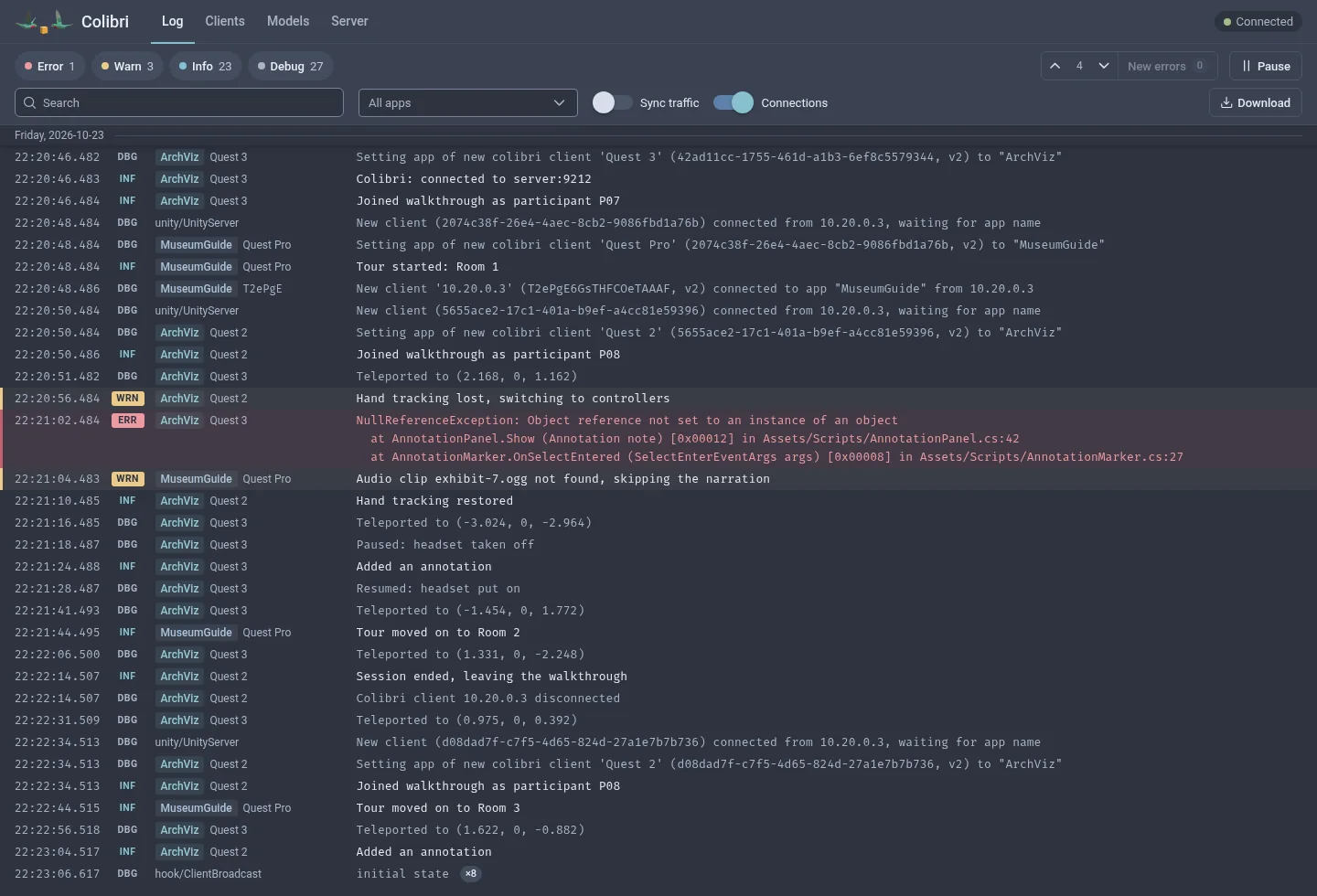
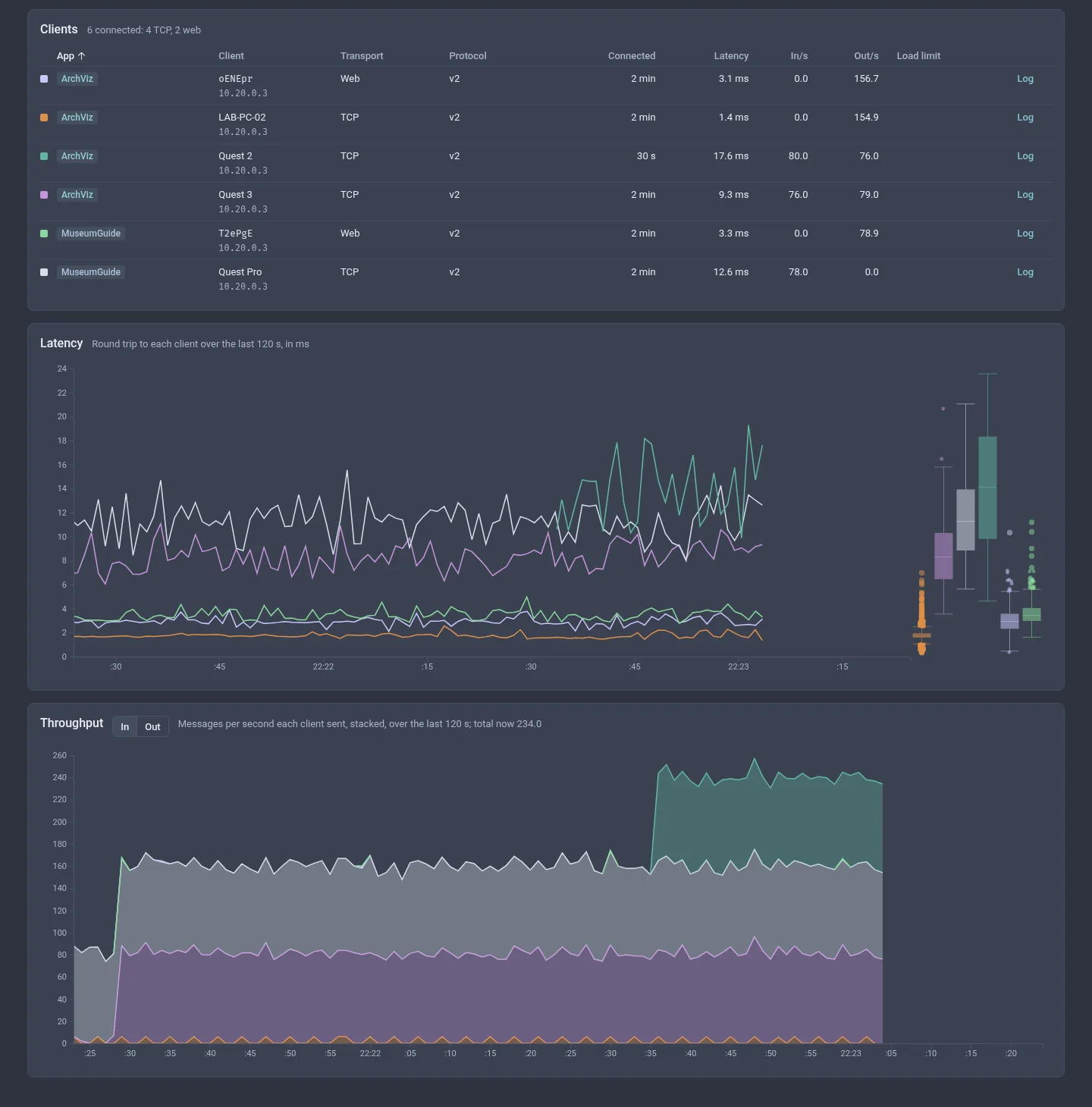
Clients exchange data only when their app names match, web and Unity alike. The server’s web page shows every connected client with its latency and message rate, the synchronised objects, and the console log of every client, which is the quickest way to read the log of an app on a headset without a cable.
2024: Small Patches
The first pull request made the server read a .env file and let each of its three parts, the web port, the Unity TCP port and the voice port, bind its own host and port, so that a server could sit behind a reverse proxy or on one network interface. The Unity configuration window grew the same options and an SSL toggle, and the web client took an optional port.
The second one touched only the web client. The networking module became a Colibri class with input validation and a single instance, which removed a workaround the code itself had labelled terrible, and two small wrappers let a developer read and write the server’s data store with a key instead of knowing the URL layout. Both were merged by the maintainers in the first months of 2024.
2026: Colibri 2
Colibri 1 and Colibri 2 cannot talk to each other, in either direction, which is why it is a new major version. The Unity transport is a fixed binary protocol instead of FlatBuffers framing, clients with another protocol version are refused and logged, and the default ports moved from 9011 to 9211, so that a 1.x and a 2.0 server can run side by side while a lab migrates.
The server runs on Node 24 as a non-root Docker image, speaks TLS itself when given a certificate and reloads it on renewal without a restart, understands reverse proxies and the PROXY protocol, listens on IPv6 and IPv4, and keeps its data store in SQLite with an expiry and a size limit. Voice is relayed only between clients of the same app, where before every voice packet went to every voice client on the server. Headsets that went to sleep are disconnected after ten seconds, one client can no longer flood the server, and the admin pages were rebuilt: a log page that works on a phone, a clients page with latency and throughput charts, and new pages for the synchronised models and the settings in effect.
The Unity client no longer needs UniRx and UniTask, supports IL2CPP and Meta Quest builds with a check for the player settings that silently break them, and connects over TLS with optional certificate pinning. It survives a reconnect without losing the changes made during the outage, keeps message order, sends each object’s updates at a configurable rate (30 a second by default, or every frame), and shows its state in a status window. Voice chat works with IL2CPP and on Android, and no longer freezes the app when encoding fails.
The web client moved to standard TC39 decorators, so synced members work in React and other frameworks, resyncs after a reconnect, can delete an object for every client, and declares synced properties without a decorator for projects that must stay plain JavaScript. Both clients and the server come with test suites, changelogs, a migration guide and a documentation site.
Technical Highlights
A few things worth calling out from the pull requests:
The data store that slowed down everyone. Colibri 1 kept its store in one JSON file, held in memory and rewritten as a whole after every change, on the same thread that relays every message. A 95 MB store blocked that thread for 643 ms per save, so a small read took 629 ms at the 99th percentile while another client was writing. With SQLite it takes 4.5 ms, a write touches one row, and a crash no longer loses the last 250 ms of writes. The choice fell on node:sqlite, which is built into Node 24, so the server gained no dependency.
A delete that did not delete. In the web client, delete() only stopped this client from syncing an object. The object stayed on the server, on every other client and in this client’s own list. It now deletes for everyone, as destroying a synced object in Unity does, and the old behaviour has an honest name, detach(). Getting the edge cases right took most of the work: a change made just before the delete has to go out before it, a delete sent while the connection had already died has to be sent again, and a late update from another client must not bring the object back, which the server now prevents with a ten-minute memory of deletes.
One message that ended the server. A pre-release audit found that a single web client could take down the shared server for every app on it. The Socket.IO parser accepts a number as an event name, and every client event was passed on to the socket’s own listeners, so an event named error ran the server’s error handler, whose attempt to stringify a deeply nested payload overflowed the stack. Malformed events are now refused before any listener sees them, payloads nesting deeper than 100 levels are rejected on both transports, and a client’s log line is cut at 8 KiB, because large remote log lines used to fill the heap within minutes.
An avatar with three parts. A Unity object with a synced head and two synced hands gave each part its own random id, so every other client kept instantiating prefabs for parts it did not recognise. The parts now share the anchor’s id and children add their path, <id>/LeftHand, and the manager builds a copy under an inactive holder so that every part has its id before Awake runs.
How It Was Written
Most of the Colibri 2 code was written by Claude. I set the goals, decided what went in, and sent the pull requests; the maintainers merged them. Most commits say so in their trailer.
Each pull request lists what was tested and how: unit tests for the server and the web client, end-to-end tests against a real server, the Unity suites in a real editor on Windows, a build with managed code stripping to confirm that every synced member survives the linker, a load test with 60 synthetic clients, and manual checks with two or three clients for Wi-Fi drops, late joiners, TLS certificates and voice with a real microphone. Several of the bugs in the highlights above were found by audits of the branch before the release, not by a user.
Current Limitations
In the interest of not overclaiming: Colibri 2.0.0 is unreleased. The npm package and the Docker image still ship Colibri 1, the public test server still spoke the 1.x protocol when the pull requests were merged, and the release itself, the image, the package and the Unity package, is the maintainers’ call. The Unity client has been built for the Meta Quest and compiled against its reference assemblies, but had not been run on a headset when the main pull request was merged. The missing authentication is a design decision of the toolkit, not something Colibri 2 changes; a server for anything sensitive belongs on a trusted network.